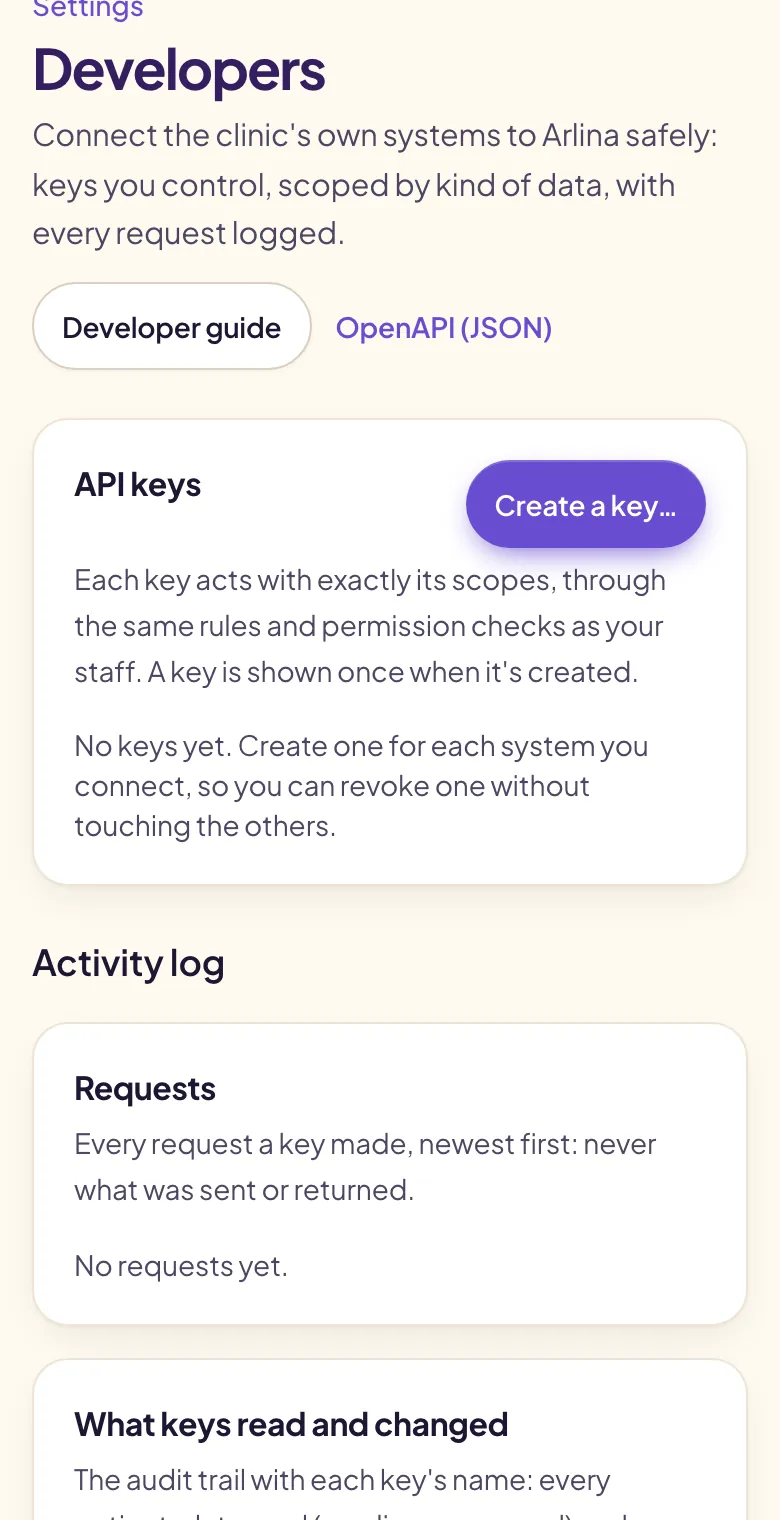
Connect your clinic's own systems to Arlina: a booking widget on your website, an accounting export, your website's inquiry form. The API gives you your clinic's data and booking through keys you control, scoped by the kind of data, with every request logged. There is no way to reach clinical records (notes, chart files, health history) with any key.
Version 1 (released 2026-11-24). The full reference is the OpenAPI description at /api/v1/openapi.json.
Quick start (about 10 minutes)
Step 1. Turn on two-step sign-in for your account if it isn't on (Account → Security). Keys are created only after a fresh two-step sign-in.
Step 2. Try it in the sandbox first. In Settings → Developers, choose Create a sandbox clinic. It's a separate clinic filled with made-up practitioners, services, patients, visits, invoices and leads. Switch to it from the clinic menu.
Step 3. Create a test key. In the sandbox's Settings → Developers, choose Create a key…, name it ("My first key"), tick Read clinic set-up (operational:read), accept the terms, enter your password and a code, and create it. Copy the key now: it starts hal_test_ and is shown once.
Step 4. Make your first request:
curl https://YOUR-ARLINA-ADDRESS/api/v1/clinic \
-H "Authorization: Bearer hal_test_..."You get the clinic's name, time zone and "environment": "sandbox". Then list services and ask for open times:
curl "https://YOUR-ARLINA-ADDRESS/api/v1/services" -H "Authorization: Bearer hal_test_..."
curl "https://YOUR-ARLINA-ADDRESS/api/v1/availability?service_id=SERVICE_ID" -H "Authorization: Bearer hal_test_..."
Step 5. See it in Arlina. Settings → Developers → Activity log shows each request, its result and the address it came from.
Step 6. Go live. Back in your real clinic, create a live key (hal_live_) with only the scopes the system needs, and an address allowlist.
Authentication
Send the key in the Authorization header on every request: Authorization: Bearer hal_live_....
- Live keys start
hal_live_and work only on your real clinic. Test keys starthal_test_and work only on its sandbox. Arlina refuses either one anywhere else. - A key is shown once. Arlina keeps only a fingerprint (a SHA-256 hash), so it can't show it again. Lost it? Revoke it and create a new one.
- Keys expire: 90 days by default, at most a year. Create the replacement before the old one expires.
- Revoking is instant: the next request with that key is refused.
- Keys belong on a server, never in a web page's code or an app people download. Keys have a recognisable prefix so that leak scanning can find them: a key found in a leak report is revoked automatically and the owners are told.
- A key acts with exactly its scopes, as a service account of the owner who created it. If that owner leaves the clinic, the key stops working.
Scopes and data classes
The kind of data decides the risk, not the key. Choose the fewest scopes the system needs.
| Scope | Data class | What it allows |
|---|---|---|
operational:read | Operational | Clinic details, locations, practitioners, services, open times |
appointments:read | Booking | Appointments by id and time (no names, reasons or notes) |
appointments:write | Booking | Book into an open time, move, cancel, with the front desk's rules |
contacts:read | Contact | Patients' names, email addresses, phone numbers and consent status |
financial:read | Financial | Invoices, payments and balances (never card numbers) |
leads:read | Contact | Leads (new inquiries) and their contact details |
leads:write | Booking | Add leads (website inquiries) for the front desk |
- Contact and financial scopes, and leads:read, need an address allowlist. Arlina refuses such a key without one.
- There is no clinical scope. Notes, chart files, health history, diagnoses, the reason a person gave for their visit and cancellation reasons are never returned by any endpoint.
- Least data: add
fields=first_name,emailto a read to get only those fields (and the id).
Endpoints
All under /api/v1. Lists are paged: limit (1 to 100, default 25) and cursor (the next_cursor from the previous page).
| Method and path | Scope |
|---|---|
GET /clinic | operational:read |
GET /locations, GET /locations/{id} | operational:read |
GET /practitioners, GET /practitioners/{id} | operational:read |
GET /services, GET /services/{id} | operational:read |
GET /availability?service_id=&from=&to=&location_id=&practitioner_id= | operational:read |
GET /appointments, GET /appointments/{id} | appointments:read |
POST /appointments | appointments:write |
POST /appointments/{id}/move, POST /appointments/{id}/cancel | appointments:write |
GET /patients, GET /patients/{id} | contacts:read |
GET /patients/{id}/balance | financial:read |
GET /invoices, GET /invoices/{id}, GET /payments, GET /payments/{id} | financial:read |
GET /leads, GET /leads/{id} | leads:read |
POST /leads | leads:write |
Booking rules. POST /appointments books only a time that /availability offers (the same engine as the online booking page and the phone agent), with the same permission checks, overlap rules and audit as the front desk. Moving needs an open time too. Cancelling inside the clinic's notice period is recorded as a late cancellation.
Idempotency. Send Idempotency-Key: <a unique value> with every write. Repeating the same request with the same key returns the first response (for 24 hours) with Idempotent-Replayed: true, so a retry never books twice. The same key with a different request is refused (409 idempotency_key_reused).
Errors
Every error has the same shape:
{ "error": { "type": "permission", "code": "insufficient_scope", "message": "This key doesn't have the contacts:read scope.", "request_id": "req_..." } }| Status | Codes | What to do |
|---|---|---|
| 400 | invalid_parameter, invalid_cursor, invalid_json, invalid_limit | Fix the request |
| 401 | missing_key, invalid_key, key_revoked, key_expired, key_owner_inactive | Ask the owner for a new key |
| 403 | insufficient_scope, ip_not_allowed, key_paused, clinic_read_only | Check the key's scopes and allowlist |
| 404 | not_found, unknown_endpoint | Check the id (records of other clinics are never visible) |
| 409 | conflict, idempotency_key_reused | The time was taken, or use a new idempotency key |
| 422 | validation_failed, time_not_open | The message says which rule; ask /availability again |
| 429 | rate_limited | Wait the Retry-After seconds |
Quote the request_id (also in the Arlina-Request-Id header) when you contact support.
Rate limits and unusual activity
- 120 requests a minute per key and 300 a minute per clinic, and about 10,000 a day per clinic (fair use, included in every plan). Over a limit you get 429 with a
Retry-Afterheader.X-RateLimit-Remainingtells you how many are left this minute. - Bulk reading pauses the key. A key that reads more than 500 different people's records within an hour (patients' contact details, invoices and payments, leads) is paused before the data leaves, and the owners are told by email and in Settings → Developers. The owner can resume it after a fresh two-step sign-in. Sync with
updated_sinceandissued_sinceinstead of re-reading everything. - A new address alerts the owner. The first request from each network address is reported to the owners.
- Every patient-data read is logged with the key's name, one line per record, and the patient's record (History) shows which keys read it.
Events (webhooks)
In Settings → Developers, Add an endpoint…: an https:// address and the events it wants. Arlina posts a signed JSON event when:
appointment.booked, appointment.moved, appointment.cancelled, patient.created, invoice.paid, lead.created
Events carry ids and minimal non-health fields only, never names, reasons or notes:
{ "id": "evt_...", "object": "event", "type": "appointment.booked", "api_version": "2026-11-24", "created_at": "2026-12-01T14:00:00.000Z", "livemode": true,
  "data": { "appointment_id": "...", "patient_id": "...", "practitioner_id": "...", "location_id": "...", "starts_at": "...", "ends_at": "...", "status": "scheduled" } }
Your receiver fetches what it's allowed with its key. Answer with a 2xx status within 10 seconds. Arlina retries a failed delivery with backoff (5 seconds, doubling, at most an hour apart, 8 attempts) and shows each attempt in the delivery log. Until an Arlina server is approved for outbound delivery, events are signed and kept in the delivery log instead of sent, so you can check them there; Send a test event works either way.
Checking the signature
Each delivery has the header Arlina-Signature: t=<unix seconds>,v1=<hex>. v1 is the HMAC-SHA256 of <t>.<raw body> with the endpoint's signing secret (whsec_..., shown once when you add the endpoint). Refuse a request whose signature doesn't match, or whose t is more than 5 minutes from your clock (a replay).
curl and openssl (to check one by hand):
BODY='{"id":"evt_...","type":"test.ping",...}'   # the raw body, byte for byte
T=1764597600
printf '%s.%s' "$T" "$BODY" | openssl dgst -sha256 -hmac "whsec_..." -hex
# compare with v1 in the Arlina-Signature header
JavaScript (Node.js):
import { createHmac, timingSafeEqual } from "node:crypto";

export function verifyArlina(secret, header, rawBody, now = Math.floor(Date.now() / 1000)) {
  const parts = Object.fromEntries(header.split(",").map((p) => p.split("=", 2)));
  const t = Number(parts.t);
  if (!Number.isInteger(t) || Math.abs(now - t) > 300) return false; // too old: a replay
  const expected = createHmac("sha256", secret).update(`${t}.${rawBody}`).digest();
  const given = Buffer.from(parts.v1 ?? "", "hex");
  return given.length === expected.length && timingSafeEqual(given, expected);
}
Python:
import hashlib, hmac, time

def verify_arlina(secret: str, header: str, raw_body: bytes, now: int | None = None) -> bool:
    parts = dict(p.split("=", 1) for p in header.split(","))
    t = int(parts.get("t", "0"))
    if abs((now or int(time.time())) - t) > 300:
        return False  # too old: a replay
    expected = hmac.new(secret.encode(), f"{t}.".encode() + raw_body, hashlib.sha256).hexdigest()
    return hmac.compare_digest(expected, parts.get("v1", ""))
Verify against the raw body before parsing it: re-serialised JSON won't match.
Worked examples
1. A booking widget on your website
Scopes: operational:read and leads:write. Your website's server (not the browser) holds the key.
GET /servicesandGET /practitionersto show what you offer.GET /availability?service_id=...&from=...&to=...to show open times.- When the visitor picks a time and gives their name and contact details,
POST /leadswithrequested_starts_atandrequested_practitioner_id:
await fetch(`${ARLINA}/api/v1/leads`, {
  method: "POST",
  headers: { Authorization: `Bearer ${process.env.ARLINA_KEY}`, "Content-Type": "application/json", "Idempotency-Key": crypto.randomUUID() },
  body: JSON.stringify({ first_name: "Sam", last_name: "Rivera", email: "[email protected]", service_id, requested_practitioner_id, requested_starts_at: "2026-12-03T10:00:00-05:00", consent: { purposes: ["booking_follow_up"], wording: "Contact me about booking this visit." } }),
});
The front desk sees the request with the chosen time and confirms it in one click. Why not book directly? A website visitor isn't identified yet; Arlina's own booking page verifies them with a code first. If you want patients to book themselves, link to the clinic's online booking page instead.
2. A nightly accounting export
Scope: financial:read, with your accounting server's address on the allowlist.
import time
import requests

def invoices_since(base, key, since):
    url, params = f"{base}/api/v1/invoices", {"issued_since": since, "limit": 100}
    while True:
        r = requests.get(url, params=params, headers={"Authorization": f"Bearer {key}"}, timeout=30)
        if r.status_code == 429:
            time.sleep(int(r.headers.get("Retry-After", "5"))); continue
        r.raise_for_status()
        page = r.json()
        yield from page["data"]
        if not page["has_more"]:
            break
        params["cursor"] = page["next_cursor"]
Each invoice has its number, totals, tax, what's been paid and the balance, with lines. Payments come from GET /payments?received_since=.... Subscribe to invoice.paid to update as they're paid instead of re-reading.
3. A website lead
Scope: leads:write only (no allowlist needed: it can't read anything). Post the inquiry from your form's server:
curl -X POST https://YOUR-ARLINA-ADDRESS/api/v1/leads \
  -H "Authorization: Bearer hal_live_..." -H "Content-Type: application/json" \
  -H "Idempotency-Key: form-2026-12-01-0001" \
  -d '{"first_name":"Robin","email":"[email protected]","message":"Do you take new patients?","utm":{"source":"google"}}'
It arrives in Leads like an inquiry from Arlina's own form, with its source. The message is kept for the clinic and never returned by the API.
Privacy responsibilities
Under Ontario's PHIPA the clinic is the custodian of its patients' health information, and decides where it goes.
- Agreements first. A vendor or developer who receives patient information through a key needs a written agreement with the clinic (for example, a data processing agreement) before they use it. The owner accepts this when creating each key.
- Least data. One key per system, with the fewest scopes. Use
fields=to take only what you need. Don't copy patient lists you don't need. - Keep keys secret and on servers. Revoke a key the moment it may have leaked or a vendor relationship ends.
- Where data goes. If a system stores patients' details outside your country, the clinic should say so in its privacy notice and its privacy impact assessment (Arlina's PIA template has an API section).
- Consent.
consent.marketing_emailandconsent.marketing_smstell you whether a patient agreed to marketing.
Don't send marketing without it (Canada's anti-spam law).
- Breaches. If a key or the data it read is exposed, revoke the key and follow the clinic's breach response plan.
Changelog
- 2026-11-24: version 1. Clinic keys (live and test), scopes by data class, the endpoints above, cursor pagination, idempotent writes, events with signed deliveries, the sandbox clinic, rate limits, bulk-read pausing, new-address alerts and leak-report revocation.
Arlina gives 12 months' notice before any breaking change to version 1. New fields and endpoints may be added at any time: ignore fields you don't know.